
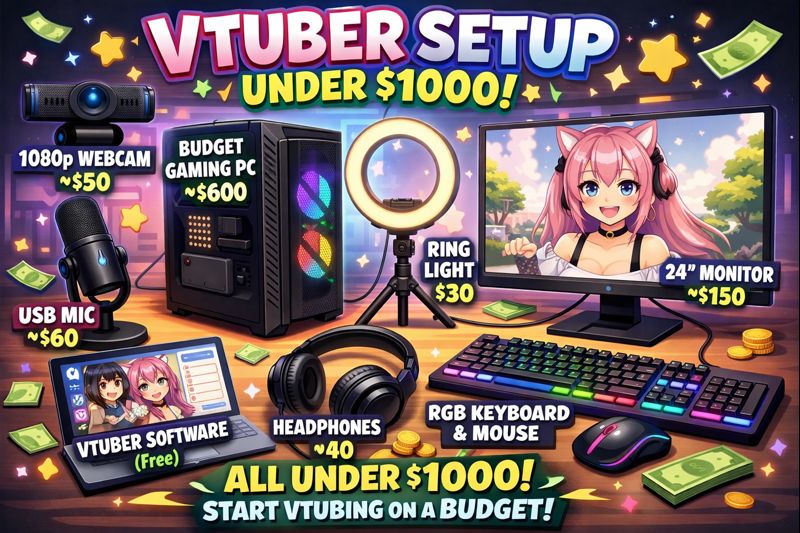
Setting up a VTuber does not require thousands of dollars.
With the right decisions, you can build a fully functional, smooth VTuber setup under $1,000 that tracks well, runs stably in OBS, and looks professional enough to grow an audience.
This guide breaks down exactly how to build a VTuber setup under $1,000, what to prioritize, what to skip, and how to avoid wasting money on things that don’t improve stream quality.
If you’re planning your first VTuber setup—or upgrading from a broken one—this page is designed to save you money and frustration.
What “VTuber Setup Under $1,000” Really Means
A realistic VTuber setup under $1,000 includes everything required to:
- Track your face naturally
- Run your model smoothly
- Stream without lag or desync
- Stay upgrade-friendly later
This budget does not mean “cheap” or “low quality.”
It means smart prioritization.
👉 Related guide: VTuber model setup
The $1,000 VTuber Setup Philosophy (Read This First)
Creators who succeed under $1,000 follow three rules:
- Tracking quality > visual effects
- Stability > flashy features
- Upgrade later, not upfront
Most broken VTuber setups fail because money was spent in the wrong order—not because the budget was too low.
VTuber Setup Under $1,000 – Full Budget Breakdown
Below is a realistic, proven cost distribution.
1. Face Tracking & Camera ($50–400)
Face tracking determines how alive your VTuber feels.
Option A: Webcam (Budget Choice)
- Cost: $40–100
- Pros: Cheap, simple
- Cons: Less depth and expression accuracy
Option B: Used iPhone (Best Value)
- Cost: $250–400
- Pros: Excellent facial tracking, smoother motion
- Cons: Higher upfront cost
👉 Internal link: vtuber webcam vs iphone
Recommended spend: $100–300
2. PC & Performance ($0–500)
If you already own a gaming or mid-range PC, you may not need to upgrade at all.
Minimum workable specs:
- CPU: 6-core or better
- RAM: 16GB
- GPU: Any modern discrete GPU
If upgrades are needed:
- RAM upgrade: $40–80
- SSD upgrade: $50–100
- GPU upgrade (used): $150–300
👉 Internal link: vtuber setup pc requirements
Recommended spend: $0–400
3. VTuber Software ($0–30/month)
Most VTuber software is free or low-cost.
Common stack:
- Tracking software: Free
- OBS Studio: Free
- Optional paid tools: $10–30/month
Avoid paying for software before fixing tracking and performance issues.
👉 Supporting pages:
- best vtuber software
- vtuber software for beginners
- vtuber software obs integration
Recommended spend: $0–30/month
4. Lighting Setup ($30–120)
Lighting is non-optional for tracking accuracy.
Budget setups that work:
- Desk lamp + diffuser: $20–40
- Ring light: $40–80
- Basic key light: $80–120
Bad lighting causes:
- Mouth tracking issues
- Eye flicker
- Constant recalibration
👉 Internal link: vtuber lighting setup
Recommended spend: $40–80
5. OBS & Model Setup ($0–200)
This includes:
- Face tracking calibration
- OBS scene setup
- Audio sync
- Performance tuning
DIY:
- Cost: $0
- Time cost: High
Professional help:
- Cost: $50–200 (one-time)
👉 Helpful guides:
- vtuber face tracking calibration guide
- vtuber obs sync issue
Recommended spend: $0–150
Total VTuber Setup Cost Under $1,000 (Real Examples)
Example 1: Ultra-Budget Setup (~$300–500)
- Webcam
- Existing PC
- Free software
- DIY setup
- Basic lighting
👉 Best for beginners testing VTubing
Internal link: vtuber setup for beginners
Example 2: Balanced Setup (~$600–800)
- Used iPhone tracking
- Existing PC (minor upgrades)
- Ring light
- Some paid tools
- DIY setup
👉 Best value for long-term growth
Internal link: vtuber setup low budget
Example 3: Near-Pro Setup (~$900–1,000)
- iPhone tracking
- PC upgrades
- Key light setup
- Partial professional setup help
👉 Best if you want stability from day one
Internal link: hire vtuber setup service
Hidden Costs to Watch Out For (Even Under $1,000)
Common surprise costs:
- Replacing bad lighting
- Software subscriptions
- PC overheating fixes
- Troubleshooting time
👉 Must-read: vtuber model hidden costs
Always keep a 10% buffer in your budget.
What NOT to Spend Money On Under $1,000
Avoid:
- Full-body tracking
- Over-complex physics
- Dual-PC setups
- Premium software bundles
- Fancy accessories before basics work
These upgrades matter later, not at the start.
VTuber Setup Under $1,000 vs VTuber Model Cost
Important distinction:
- VTuber model cost = avatar creation
- VTuber setup cost = making the avatar actually work on stream
A modest model with a good setup always beats an expensive model with poor setup.
👉 Supporting page: vtuber model cost
VTuber Setup Under $1,000 – Checklist
Before you go live:
- ✔ Camera tested
- ✔ PC meets requirements
- ✔ Lighting is stable
- ✔ Software installed correctly
- ✔ Tracking calibrated
- ✔ OBS scenes tested
- ✔ Stream stress-tested
👉 Anchor text: VTuber Model Commission Checklist
Final Thoughts
A VTuber setup under $1,000 is not a compromise—it’s a smart starting point.
When done correctly, it gives you:
- Smooth tracking
- Stable streams
- Upgrade flexibility
- Less technical stress
Most VTubers don’t fail because of budget—they fail because of poor setup planning.
Next recommended reads:
- vtuber model setup
- vtuber setup cost
- vtuber setup under 1000 dollars