
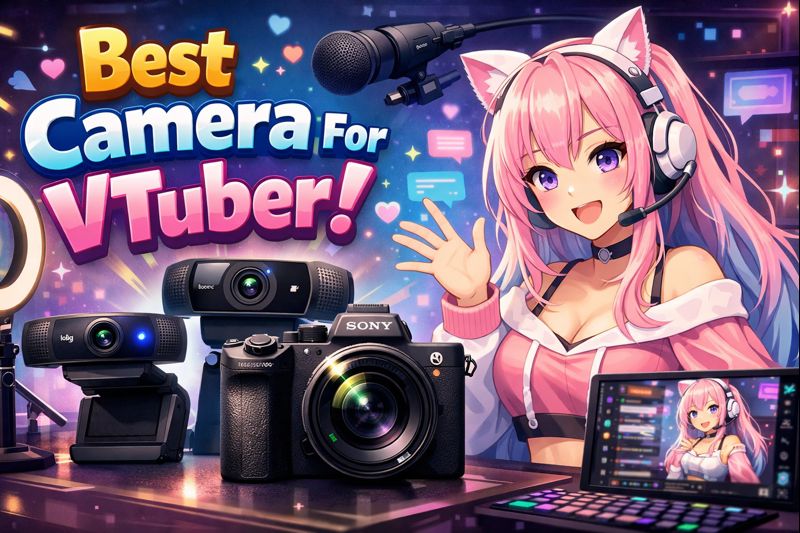
How to Choose the Right Camera for Smooth, Accurate Face Tracking?
Choosing the best camera for VTubing is not about video quality alone.
It’s about tracking accuracy, stability, and consistency during long streams.
A camera that looks great on paper can still cause:
- Delayed mouth movement
- Flickering eyes
- Lost face tracking
- Unnatural expressions
This guide explains which camera actually works best for VTubers, based on model type, tracking method, budget, and setup level—not marketing hype.
If your VTuber model feels stiff, laggy, or inaccurate, the camera is often the real bottleneck.
What Makes a Camera “Good” for VTubing? (Not What You Think)
For VTubers, the camera’s job is not cinematic quality—it’s feeding clean facial data to tracking software.
A good VTuber camera must provide:
- Stable frame rate (no exposure flicker)
- Clear facial landmarks (eyes, mouth, brows)
- Low latency
- Consistent performance in real lighting conditions
This is why many VTubers struggle when using the wrong camera, even with a high-end model.
Related reading:
👉 vtuber webcam vs iphone
👉 vtuber setup pc requirements
Camera Options for VTubers (Ranked by Accuracy)
1. iPhone (Face ID Models) – Best Overall for VTubers
If you want the best face tracking available today, nothing beats an iPhone with Face ID.
Why iPhone wins:
- Uses TrueDepth sensors (not just RGB video)
- Tracks depth, muscle movement, and micro-expressions
- Stable in low light
- Extremely accurate mouth and eye tracking
Best for:
- Live2D VTuber models
- High-expression streams
- Professional debuts
Common models used:
- iPhone X / XS / XR
- iPhone 11, 12, 13, 14 series
Recommended reading:
👉 vtuber webcam vs iphone
👉 vtuber face tracking calibration guide
2. Webcam – Acceptable for Beginners (With Limits)
Webcams are the most common starting point, but they come with trade-offs.
Pros:
- Low cost
- Easy setup
- Works on almost any PC
Cons:
- Limited depth perception
- Less accurate mouth and eye tracking
- Sensitive to lighting conditions
Best for:
- PNGTuber models
- Entry-level Live2D
- Low-budget setups
If you use a webcam, lighting matters more than the camera itself.
Important guide:
👉 vtuber lighting setup
3. DSLR / Mirrorless Cameras – Usually Not Worth It
Many creators assume DSLR cameras are “better” because they look cinematic.
For VTubing, this is usually false.
Why DSLRs struggle for VTubing:
- Designed for video, not face landmark tracking
- Higher latency
- Overkill resolution that doesn’t improve tracking
- Complex capture cards and setup
Unless you’re combining IR tracking hardware, DSLRs rarely outperform webcams or iPhones for VTubers.
Best Camera Choice by VTuber Type
Best Camera for Live2D VTubers
Recommended: iPhone (Face ID)
Alternative: High-quality webcam + proper lighting
Live2D models benefit the most from accurate depth and expression tracking.
Related:
👉 live2d vtuber model optimization tips
Best Camera for PNGTubers
Recommended: Webcam
Why: PNGTubers don’t rely on depth tracking
Extra accuracy won’t improve results here.
Related:
👉 pngtuber reactive image setup obs
Best Camera for 3D VTubers
Recommended: iPhone (Face ID) or specialized tracking hardware
Alternative: Webcam (limited expression fidelity)
3D models expose tracking weaknesses faster than 2D.
Related:
👉 3d vtuber model facial tracking options
👉 3d vtuber model performance optimization
Lighting Matters More Than Camera Specs
Many “camera problems” are actually lighting problems.
Poor lighting causes:
- Eye flickering
- Mouth not moving
- Constant tracking loss
- Unstable expressions
A proper lighting setup can dramatically improve tracking accuracy, even on budget webcams.
Must-read:
👉 vtuber lighting problem
👉 vtuber lighting setup
Common Camera Mistakes VTubers Make
Avoid these if you want smooth tracking:
- Sitting too far from the camera
- Camera placed below eye level
- Mixed light sources (window + LED)
- Auto exposure enabled
- Over-relying on resolution instead of clarity
Fixing these often improves tracking more than buying a new camera.
Best Camera Setup Checklist for VTubers
Before upgrading your camera, confirm:
✔ Camera at eye level
✔ Even, soft lighting
✔ Stable frame rate
✔ Correct tracking calibration
✔ No exposure flicker
If any item fails, optimize setup first.
Related checklist:
👉 VTuber Model Commission Checklist
When Should You Upgrade Your Camera?
Upgrade only if:
- Tracking is inconsistent after proper lighting
- Calibration is correct but expressions still lag
- You stream regularly and need reliability
If you’re still experimenting, a webcam is usually enough.
Final Verdict: Best Camera for VTubers
- Best overall: iPhone (Face ID models)
- Best for beginners: Webcam + good lighting
- Worst value: DSLR (for face tracking)
The best VTuber camera is the one that delivers stable, accurate tracking, not cinematic footage.
If you want help choosing or setting up the right camera for your model, professional setup can save weeks of frustration.
👉 hire vtuber setup service