
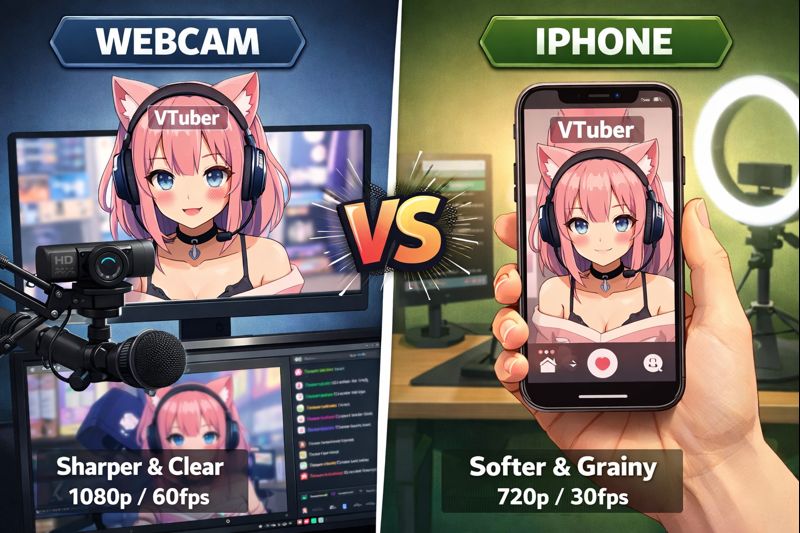
VTuber Webcam vs iPhone: Which Face Tracking Setup Is Better in 2025?
Choosing between a VTuber webcam vs iPhone is one of the most important technical decisions you’ll make as a VTuber.
Your tracking device directly affects expression accuracy, stream stability, viewer immersion, and long-term upgrade costs.
Many VTubers ask:
- Is an iPhone really worth it for face tracking?
- Can a webcam deliver professional-quality results?
- Will viewers notice the difference?
- Which option is better for beginners vs long-term creators?
This guide breaks down webcam vs iPhone face tracking in a practical, experience-based way—so you can choose the right setup without overspending or regretting it later.
If your VTuber model feels stiff, delayed, or unnatural, the tracking input is often the real bottleneck.
What Face Tracking Actually Does for VTubers
Face tracking converts your real facial movement into:
- Eye blinks and eye direction
- Mouth shapes and lip sync
- Head rotation and tilt
- Expression intensity
Even the best VTuber model will feel “dead” if tracking data is weak.
Related reading:
👉 vtuber face tracking calibration guide
👉 vtuber tracking accuracy issues
VTuber Webcam vs iPhone: Core Difference (Short Answer)
Webcam tracking uses basic 2D image recognition.
iPhone tracking uses Apple’s TrueDepth sensors to capture real facial depth data.
This difference explains why iPhone tracking looks smoother, more expressive, and more stable—especially for Live2D and 3D VTubers.
Webcam Face Tracking for VTubers (Pros & Cons)
How Webcam Tracking Works
Webcams rely on:
- Flat image input
- Lighting-based detection
- Software estimation of facial movement
This makes webcam tracking highly dependent on environment.
Pros of Using a Webcam
- Low cost
- Easy to set up
- No extra device needed
- Works on almost any PC
Best for:
- Beginners
- PNGTubers
- Budget setups
- Casual or experimental streaming
Helpful guide:
👉 vtuber setup for beginners
👉 vtuber setup low budget
Cons of Webcam Tracking
- Limited facial depth detection
- Inconsistent mouth tracking
- Expression loss in low light
- More jitter and drift over time
Most complaints like “my model feels stiff” or “mouth doesn’t move correctly” come from webcam limitations—not bad models.
Related fixes:
👉 vtuber model mouth not moving
👉 vtuber lighting problem
iPhone Face Tracking for VTubers (Pros & Cons)
How iPhone Face Tracking Works
iPhones with Face ID use:
- Infrared depth sensors
- 3D facial mapping
- High-frequency expression data
This creates far more accurate tracking signals.
Pros of Using an iPhone
- Extremely accurate facial tracking
- Smooth eye and mouth movement
- Stable performance across lighting conditions
- Industry standard for Live2D VTubers
Best for:
- Live2D VTubers
- 3D VTubers
- Long-term creators
- Professional streams
Helpful reading:
👉 live2d vtuber model optimization tips
👉 3d vtuber model facial tracking options
Cons of iPhone Tracking
- Higher upfront cost
- Requires mounting or stand
- Needs Wi-Fi or USB connection
- Overkill for very simple setups
However, many VTubers consider the iPhone a one-time investment that removes years of tracking frustration.
Webcam vs iPhone: Side-by-Side Comparison
Tracking Accuracy
- Webcam: basic, estimation-based
- iPhone: precise, depth-based
Mouth & Expression Quality
- Webcam: inconsistent
- iPhone: highly expressive
Lighting Dependency
- Webcam: very sensitive
- iPhone: mostly stable
Setup Difficulty
- Webcam: very easy
- iPhone: moderate
Long-Term Value
- Webcam: limited
- iPhone: excellent
Which Is Better for Each VTuber Type?
PNGTuber
Webcam is usually enough.
Voice matters more than facial precision.
Related:
👉 pngtuber reactive image setup obs
Live2D VTuber
iPhone is strongly recommended.
It unlocks:
- Natural eye movement
- Clean lip sync
- Smooth head rotation
Most professional Live2D VTubers use iPhone tracking.
Related:
👉 live2d vtuber model export settings obs
3D VTuber
iPhone provides better facial data, but:
- Full-body tracking may require additional hardware
- Performance optimization becomes critical
Related:
👉 3d vtuber model performance optimization
Common Mistakes When Choosing Webcam vs iPhone
Avoid these errors:
- Buying expensive webcams expecting iPhone-level tracking
- Ignoring lighting setup with webcams
- Using iPhone without proper calibration
- Over-upgrading before understanding your workflow
Helpful fix guides:
👉 vtuber face tracking not working
👉 vtuber tracking accuracy issues
Do Viewers Actually Notice the Difference?
Yes—especially over time.
Viewers may not say:
“Your face tracking is bad.”
But they feel it when:
- Expressions don’t match voice
- Mouth movement looks delayed
- Eyes feel lifeless
Better tracking = better emotional connection = higher retention.
When Should You Upgrade from Webcam to iPhone?
Upgrade if:
- You stream consistently
- Your model supports detailed expressions
- Viewers watch longer sessions
- You want a professional feel
If you’re still testing content ideas, webcam is fine.
If you’re building a brand, iPhone pays off quickly.
Final Recommendation: VTuber Webcam vs iPhone
- Best for beginners: Webcam
- Best for Live2D VTubers: iPhone
- Best long-term investment: iPhone
- Worst mistake: Overpaying for webcams expecting iPhone results
Your tracking device defines how alive your VTuber feels.
If setup or calibration keeps failing, professional setup can save you weeks of trial and error.
👉 hire vtuber setup service
🔗 Suggested Internal Links to Strengthen Topical Authority
You can naturally interlink this article with:
- vtuber setup pc requirements
- vtuber lighting setup
- vtuber model commissions
- VTuber Model Commission Checklist