
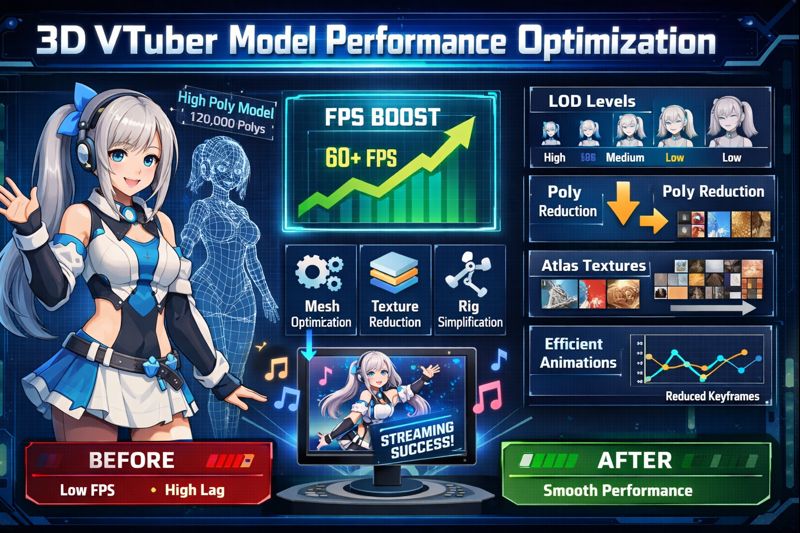
3D VTuber model performance optimization is the difference between a stream that feels professional and one that feels laggy, stiff, or uncomfortable to watch.
Many VTubers assume that if their PC is powerful enough, performance problems will disappear.
In reality, most performance issues come from unoptimized models, inefficient settings, and poor workflow design, not weak hardware.
This guide explains how to fully optimize a 3D VTuber model for performance, so your avatar runs smoothly, tracks naturally, and stays stable during long live streams.
If your model already lags or stutters, start with 3d vtuber model lag fix before continuing.
What “Performance Optimization” Actually Means for 3D VTubers
Performance optimization is not about lowering quality until your model looks bad.
It is about:
- removing unnecessary load
- prioritizing visible elements
- optimizing real-time calculations
- balancing visuals and stability
A well-optimized 3D VTuber model:
- maintains stable FPS
- responds instantly to tracking
- consumes fewer system resources
- performs consistently over long sessions
Why 3D VTuber Models Struggle With Performance
3D VTuber models are resource-intensive because they rely on:
- real-time 3D rendering
- skeletal animation
- blendshapes and facial tracking
- physics simulation
- live encoding via OBS
When these systems compete for resources, performance drops.
Common causes include:
- excessive polygon count
- oversized textures
- too many physics calculations
- inefficient tracking input
- unoptimized OBS settings
Performance Pipeline: Where Optimization Matters Most
Understanding the pipeline helps you optimize the right stage.
3D Model → VTuber Software → Tracking Input → OBS → Streaming Platform
Performance issues usually come from:
- the model itself
- VTuber software settings
- OBS encoding and scene load
Optimizing only one part is not enough.
Step 1: Optimize Polygon Count (Highest Impact Change)
Polygon count has the biggest effect on performance.
Recommended Polygon Targets
- Beginner VTuber: 20k–40k
- Standard VTuber: 40k–70k
- Advanced VTuber: 70k–90k
- Over 100k: high risk of FPS drops
If your model exceeds safe limits:
- decimate hidden geometry
- remove unseen interior meshes
- merge accessories
👉 Related fix: vtuber low fps fix
Step 2: Texture Optimization (Reduce VRAM Usage)
High-resolution textures slow rendering and overload GPU memory.
Best Practices
- Use 1024×1024 or 2048×2048 textures
- Avoid 4K textures unless absolutely necessary
- Compress textures properly
- Share texture atlases when possible
Most viewers cannot tell the difference between 2K and 4K textures on stream—but your GPU can.
Step 3: Physics Optimization (Stability Over Realism)
Physics calculations run every frame.
Too many physics elements cause:
- CPU spikes
- delayed tracking
- jittery movement
Keep Physics On
- Hair (limited bones)
- Key accessories
Disable or Reduce
- excessive clothing physics
- small decorative items
- unnecessary secondary motion
Optimization rule:
If viewers don’t notice it, remove it.
👉 Supporting concept: live2d vtuber model optimization tips
Step 4: Facial Blendshape and Rig Optimization
Facial tracking can overload performance when poorly optimized.
Optimization Tips
- Limit blendshape count
- Remove unused expressions
- Reduce update frequency if possible
- Avoid extreme deformation ranges
Over-rigged faces often cause more lag than under-rigged ones.
Step 5: Tracking Input Optimization
Tracking performance affects perceived model performance.
Tracking Comparison
- Webcam: higher latency, less accuracy
- iPhone Face ID: fastest and most accurate
- Full-body tracking: highest system load
If your model feels delayed or “heavy,” tracking input may be the bottleneck.
👉 Helpful guide: vtuber webcam vs iphone
Step 6: VTuber Software Performance Settings
Many VTubers leave default settings unchanged.
Recommended Optimizations
- Lower internal render resolution
- Disable shadows and post-processing
- Reduce expression refresh rate
- Enable performance or low-latency modes
Different software handles optimization differently.
👉 Suggested read: best vtuber software
Step 7: OBS Optimization for 3D VTubers
OBS is where many performance issues appear.
Best OBS Settings
- Use Game Capture, not Display Capture
- Base Canvas: 1920×1080
- Output Resolution: 1280×720 for stability
- Encoder: Hardware (NVENC / QSV / AMF)
Avoid:
- unnecessary browser sources
- heavy animated overlays
- excessive filters
👉 Related guides:
- vtuber obs dropped frames fix
- vtuber bitrate settings for obs
Step 8: Scene and Background Optimization
Backgrounds often cause more lag than models.
Optimization tips:
- Use static backgrounds when possible
- Limit animated loops
- Reduce transition effects
- Avoid high-FPS background videos
Step 9: Stress Testing for Long Streams
Preview mode hides problems.
Proper Performance Test
- Record for 15–20 minutes
- Move rapidly
- Speak loudly
- Switch scenes
- Run your game
If performance degrades over time, you have a load or memory issue.
👉 Supporting fix: vtuber stream stuttering fix
Common Performance Mistakes VTubers Make
- Assuming hardware is the issue
- Using unoptimized 3D assets
- Over-rigging facial expressions
- Running multiple heavy apps
- Ignoring OBS encoder settings
Most performance problems are preventable.
Beginner vs Advanced 3D VTuber Performance Setup
Beginner Setup
- Simplified 3D model
- Webcam tracking
- Single PC
- Minimal physics
Advanced Setup
- Optimized 3D assets
- iPhone tracking
- Dual PC streaming
- Automated scene switching
👉 Start here: vtuber setup for beginners
When to Hire Professional Optimization Help
You should consider professional help if:
- FPS drops persist after optimization
- your model exceeds safe limits
- you’re preparing a debut
- viewers complain about lag
CTA:
👉 hire vtuber setup service
Final Thoughts
3D VTuber model performance optimization is not optional—it is foundational.
A properly optimized model gives you:
- smoother motion
- faster tracking response
- stable streams
- better viewer retention
Great visuals mean nothing if performance fails.
Optimize the system, not just the avatar.